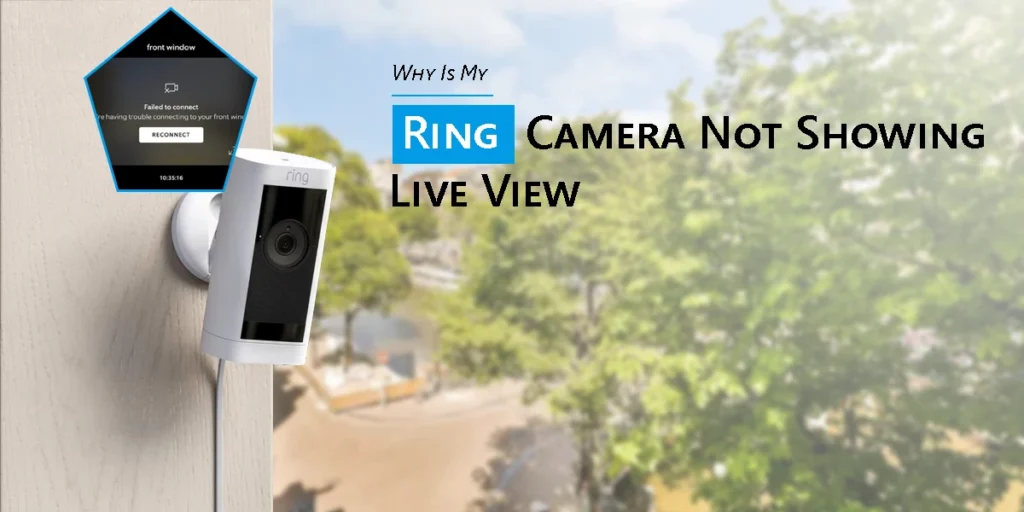
The purpose of a Ring camera is to offer you with fast and trustworthy access to the external world. However, it might be annoying when your Ring camera not showing Live view, particularly if you require real-time footage for peace of mind. The basic issues are typically the same, whether it’s a Ring Doorbell camera that doesn’t display live view, or a more sophisticated security gadget like Ring Spotlight camera will not show live view. Providentially, the common issues are simple to identify and fix.
We’ll go over the most frequent causes of this issue and how to restore functionality to your Live View in this article.
Reasons and Solutions for Ring Camera not Showing Live View Error
1. Network congestion or a weak Wi-Fi signal
Poor connection is the primary cause of Live View’s failure to load. Both at home and on your mobile device, live video streaming depends on a robust, reliable internet connection.
What may be the reason for poor WiFi?
- The distance between your router and the camera is too great.
- Interference from thick walls or metal surfaces
- An excessive number of connected devices causes network congestion.
- Slow upload speeds on the internet
How to resolve it
- Use a Wi-Fi extension or move your router closer to your Ring device.
- Give your router a restart.
- Disconnect any gadgets that are not in use.
- Test your internet speed (Ring suggests an upload speed of at least 2 Mbps).
- To prevent future stability problems, think about switching to a mesh Wi-Fi system if you have several cameras.
2. Issues with the battery or power supply
Live View might not load if your Ring device’s battery is low or it isn’t getting enough power.
Devices that run on batteries
- Because streaming needs more power, a poor battery can permit motion alerts but prevent Live View. Check to see whether Live View functions after fully recharging the battery.
Hardwired gadgets
- Low transformer voltage is a common reason for doorbells. Make sure your transformer has the voltage that Ring recommends, which is usually between 16 and 24 VAC for doorbells.
3. Inaccurate camera or app settings
Another frequent problem is when Live View is blocked by your settings.
Things to look for:
- Motion settings. The device may go into sleep mode if motion detection is turned off.
- Modes (Disarmed, Home, and Away). Depending on the setting, Live View may be limited.
- Make sure that the Ring app has access to your phone’s camera, microphone, and local network features.
- Restarting the program typically resolves momentary issues.
4. Outdated App Version or Firmware
Sometimes the software on your device is the issue rather than your connection. Important functionality like Live View may be interfered with by an outdated app or firmware.
- If the Ring camera firmware update is available, make sure you apply it. Additionally, you have to upgrade the Ring software via the Google Play Store or Apple App Store. Live View may not work due to problems introduced by outdated versions.
5. Issues with Your Ring Account or Configuration
For security concerns, Ring Doorbell camera not showing live view if you’re using the incorrect login information, the wrong device owner, or a shared account with limited rights. Authenticate that you have full access to the device and that you are logged in with the relevant Ring login account.
- Verify your installation procedures as well. The gadget might not have been properly fitted if Live View had never functioned at all. One easy approach to make sure everything was set up correctly is to go back and review the original Ring doorbell setup instructions.
6. Overheating devices or severe weather
Although Ring cameras are intended for outdoor usage, certain capabilities, such as Live View, may be momentarily disabled by extremely high or low temperatures.
Symptoms associated with temperature include:
- Unexpected Live View malfunctions
- Notifications that are delayed
- Shutting down and restarting the camera
- If the weather is the reason, either wait for the temperature to return to normal or temporarily bring the gadget indoors (for battery-operated devices).
7. VPN or router firewall issues
Ring may not be able to connect to the cloud due to firewall settings on your router. In a similar vein, Ring camera not showing Live view properly if you use a VPN on your mobile device.
Try:
- Disabling the VPN
- Restarting your router
- Adding Ring services to your whitelist if you have a sophisticated firewall
Concluding Remarks
Ring camera not showing Live view is frequently the first feature to malfunction on your gadget. Fortunately, the majority of problems—such as poor Wi-Fi, limited battery life, out-of-date software, or wrong settings—can be resolved in a matter of minutes.
Knowing these typical reasons makes it easier to keep your house safe and your Ring camera dependable when you need it most.
FAQs:-
1. Will changing Wi-Fi networks affect Live View?
Live View may be interrupted while switching Wi-Fi networks since the device needs to reconnect to the new network. Live View may fail until reconnection is successful if credentials are different or the signal is poor.
2. Why does my Ring app say “Activating Live View…” but never connects?
This often denotes router congestion, slow upload rates, or network delay. The application waits for a steady video handshake; if the device is unable to transmit data consistently, attempts to establish a connection will remain unsuccessful.
3. Can router settings block Ring Live View?
The Ring device may not be able to establish video streams due to router firewalls, closed ports, or deactivated UPnP. Live View connections may also be interfered with by guest networks, MAC filters, or VLAN isolation.
4. Does a low battery cause Live View issues?
Reduced Wi-Fi radio strength from a low battery might result in erratic connections and unsuccessful video startup. Until the battery is recharged, devices may go into power-saving modes, delaying or stopping Live View.
5. What if Live View doesn’t work after a firmware update?
Cache conflicts, network renegotiation, and transient firmware activities can all cause post-update problems. Live View is frequently restored by restarting the device, router, and app; however, reinstalling the device may also be beneficial.